
Handheld app
Device Checkup
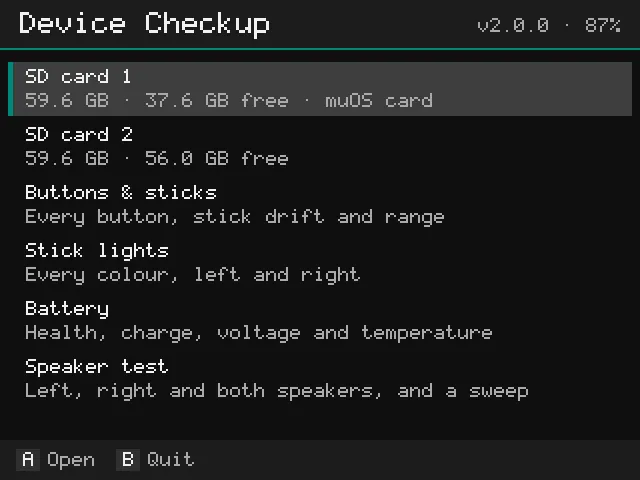
Check your handheld in minutes: SD card speed and health, fake SD cards, every button, stick drift, the stick lights, battery health, the speakers and the screen. Right on the handheld, with the controller.
- Version
- 2.0.0
- File
- .muxapp · 15.8 MB
- License
- PocketKode Software License
- Tested on
- Anbernic RG40XXH · muOS 2601.0 Jacaranda
Anbernic RG40XXV · muOS 2601.0 Jacaranda - Released
- Version
- 2.0.0
- File
- .zip · 15.8 MB
- License
- PocketKode Software License
- Tested on
- Anbernic RG40XXH · Anbernic stock OS V1.1.0
Anbernic RG40XXV · Anbernic stock OS V1.1.0 - Released
Free download, every test included. Sign in (free) to rate apps and more.
✓ Your download is starting… If it doesn't, tap here.
Every system
- Needs
- Wi-Fi only for the update check and to email a report
- Price
- Free
- Downloaded
What it does
Features
What your SD card says
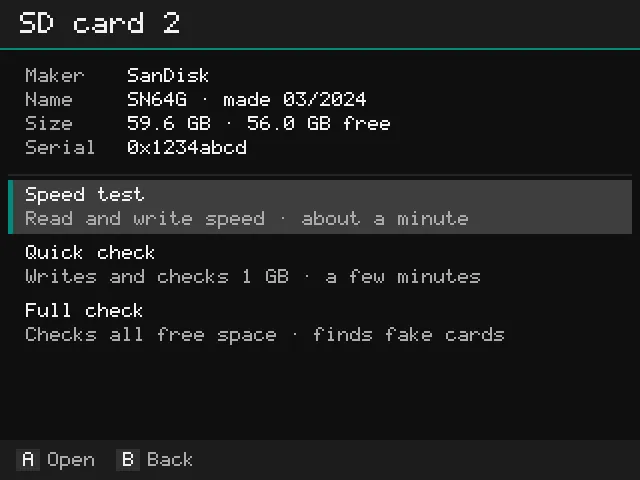
Maker, name, production date, size and serial number, with a warning when the maker or name looks wrong for the size.
Speed test
Writes a 256 MB test file, reads it back and shows the real speed in MB/s. About a minute.
Quick check
Writes 1 GB of test data and checks every byte. Finds failing cards in a few minutes.
Full check: fake cards
Fills the free space with test data and checks it all. Cards that claim more space than they have are caught.
Buttons & sticks
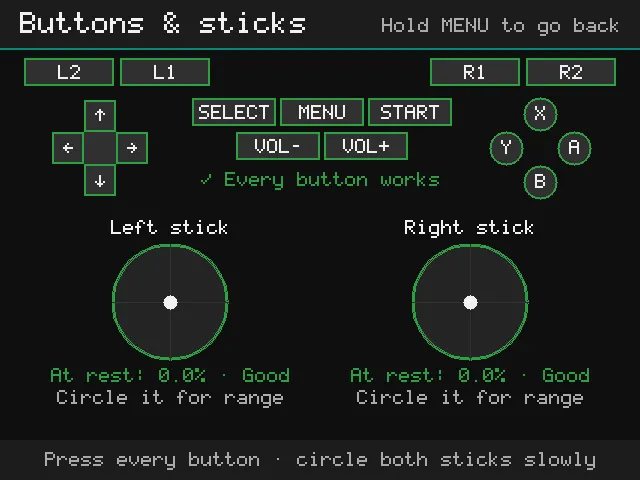
Every button lights up when pressed; the sticks show drift at rest and how far they reach.
Stick lights
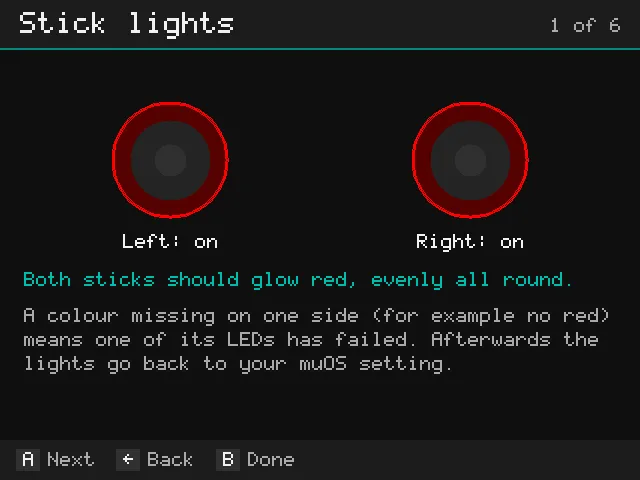
The RGB lights around the sticks in red, green, blue and white, then each side alone: a missing colour means a failed LED. Your muOS light setting comes back afterwards.
Battery health
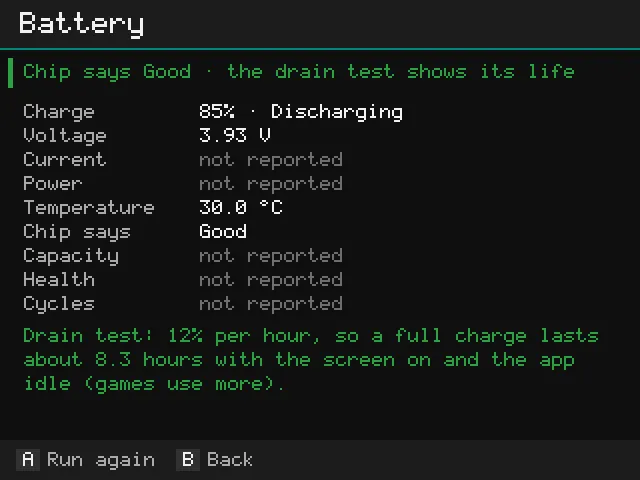
Charge, voltage, current, temperature and, when the handheld reports it, capacity vs. new and charge cycles. Plus a 10-minute drain test.
Speaker test
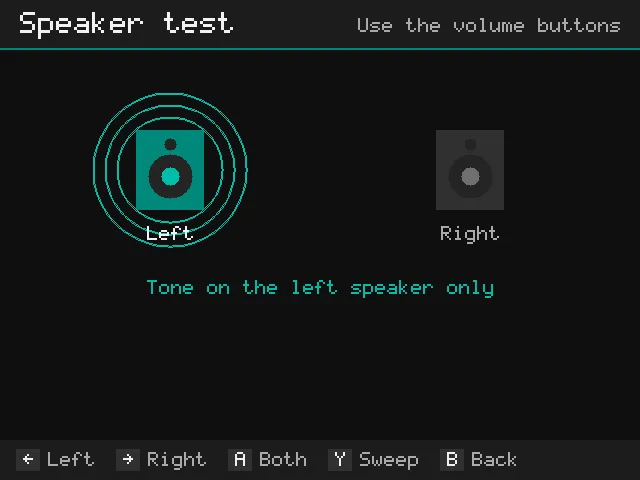
A tone on the left, right or both speakers, and a sweep from low to high that makes rattles and buzzing easy to hear.
Screen test
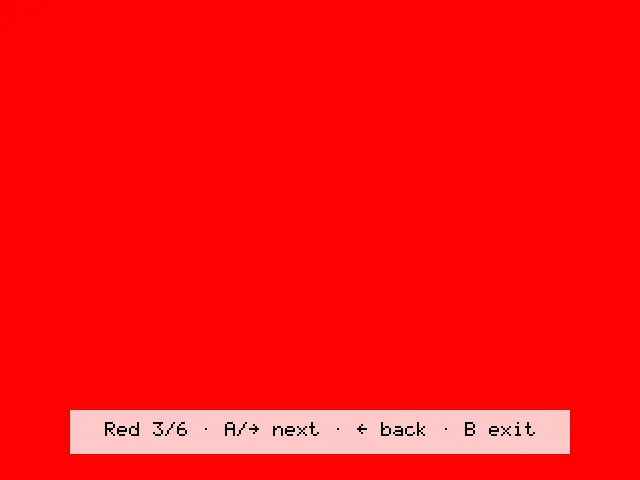
The whole screen in black, white, red, green, blue and grey, one at a time: dead and stuck pixels stand out.
Your files stay safe
Tests use their own hidden folder in free space and clean up after themselves, even after a crash or flat battery.
Report by email
Send this session's results to your email as a ZIP locked with a password you choose on the handheld. pocketkode.com passes it on and doesn't keep it.
Price
Free, every test included
Everything in Device Checkup is free: every test, the battery report and Send report to email. There's no trial, no account, no activation and no subscription. Device Checkup is closed-source software by PocketKode under the PocketKode Software License.
Screenshots
On the handheld
Screenshots from muOS on the Anbernic RG40XXH. Other systems may look a little different.
Install
How to install
On muOS
- Download DeviceCheckup-2.0.0.muxapp (free).
- Copy it to the
ARCHIVEfolder on SD card 1 (for example with Wi-Fi Transfer). - On the handheld, open Applications → Archive Manager and install it.
- Open Applications → Device Checkup.
On Anbernic's stock OS
- Download DeviceCheckup-2.0.0-stock.zip and unzip it.
- Copy the contents of its
Roms/APPSfolder (Device_Checkup.sh, theDeviceCheckupfolder andImgs) intoRoms/APPSon SD card 1, with a card reader or over Wi-Fi (Samba or SFTP). - Open APPS → Device_Checkup.
On the stock OS there's no stick lights test (the stock OS doesn't let apps control the lights) and no in-app updates yet: get new versions from this page.
Good to know
- Your files are never touched. Test data goes into its own hidden folder in free space and is deleted afterwards.
- SD card 1 keeps 2 GB free so muOS keeps working. A new card is best tested in slot 2.
- Plug in the charger for a full check (about 1 hour per 20 to 40 GB free). The screen stays on, and the test stops by itself if the battery gets very low.
- If a check says data came back wrong, don't keep games or saves on that card. H2testw (Windows) or F3 (Mac, Linux) can confirm it on a computer.
Check the download (SHA-256)
32fcaf67c4fab2c53ec4b0c1cc548c2691f463d43078c24544df45ed18835ae0On a Mac or Linux: shasum -a 256 DeviceCheckup-2.0.0.muxapp. The result should match the line above.
Transparency
Privacy & data
- Never reads or sends your files, games or saves; SD card tests use their own test data
- pocketkode.com: the update check (the handheld model and the app version; you can turn it off in About)
- A report only when you choose Send report to email: a ZIP locked with your password, which PocketKode can’t open, emailed to the address you type (through Resend) and not kept
- No ads, no analytics, no tracking in the app
The same list is in the app (About → A Privacy) and in its README. More on the privacy page.
Credits & license
Device Checkup is © 2026 PocketKode, all rights reserved, under the PocketKode Software License: free of charge, with every feature (closed source). It contains no third-party code or images. The only third-party parts are the Noto Sans JP, SC and KR fonts (SIL Open Font License), used for its languages; their license texts are in the app's licenses/ folder. Everything else, including its pixel font and icon, was made for PocketKode. It runs on the Python and SDL2 that come with muOS. Device Checkup is an independent app, not affiliated with muOS or Anbernic.
Feedback & bug reports
Found a bug or have an idea? Email feedback@pocketkode.com. If something went wrong, mention your device and muOS version, and attach logs/app.log from the app's folder if you can.